Do you have a need to spread out subscribers being sent emails communications in a journey and could use throttling capability? In this blog post we review the Throttling functionality available in Marketing Cloud Journey Builder and suggest an alternative way to throttle sends. We’ll break out pros and cons for both before making our recommendation on which to use.
Journey Builder throttling capability overview
Within the Email Activity in Journey Builder you can turn on the Hourly Threshold feature which allows you to throttle email sends.
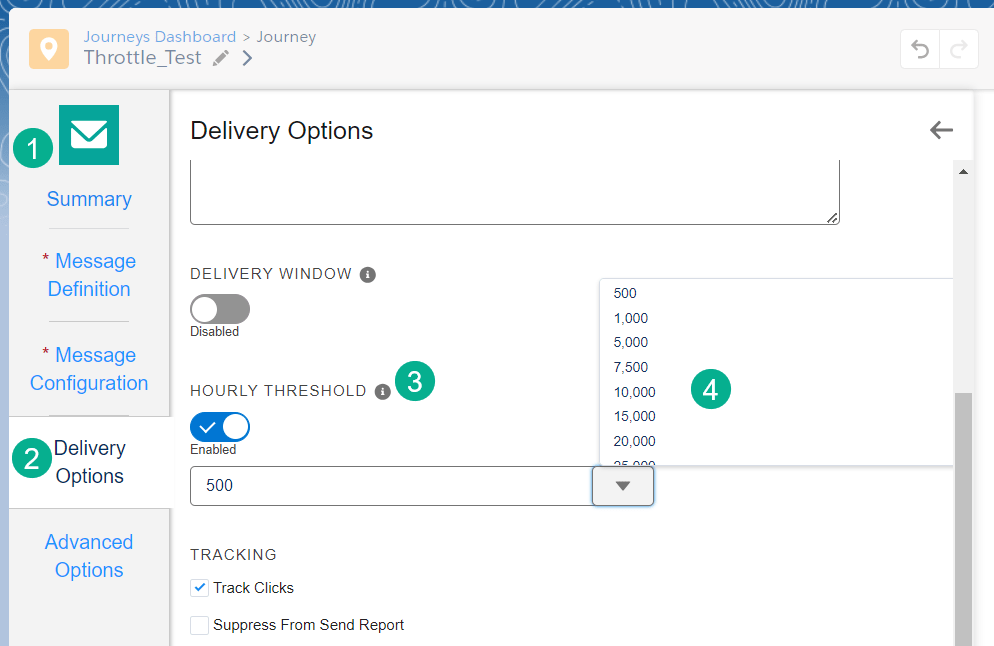
(1) In the Email Activity,
(2) Under the Delivery Options section
(3) Enable the Hourly Threshold functionality and
(4) Choose from 500 to 500,000 hourly sends.
Pros:
(1) The functionality is limiting but simple and easy to select.
(2) A good option for higher volumes as they might exceed an hourly wait step if using the random split Option B below.
Cons:
(1) Options are limited. It would be nice if there was a percentage vs count for example 25% of total sends by hour. What if the count isn’t known?
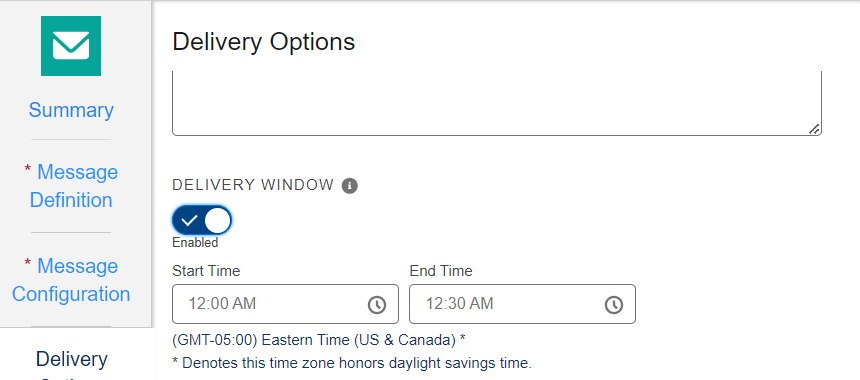
(2) No way to select the range of throttling unless you use the Delivery Window functionality. But what happens to the sends if the volume is high and the sends can’t complete in the hour, does it roll over to the next hour or the next day?
(3) Limited ability to test. The minimum amount to throttle is 500 so to test/validate the functionality you need to send through north of 500 test records which isn’t feasible or allow you the ability to test.
(4) No way to visually validate throttling in Journey Builder. To validate the time of send you’ll need to run a dataview query.
Plan B: A better way to Throttle: Random Split
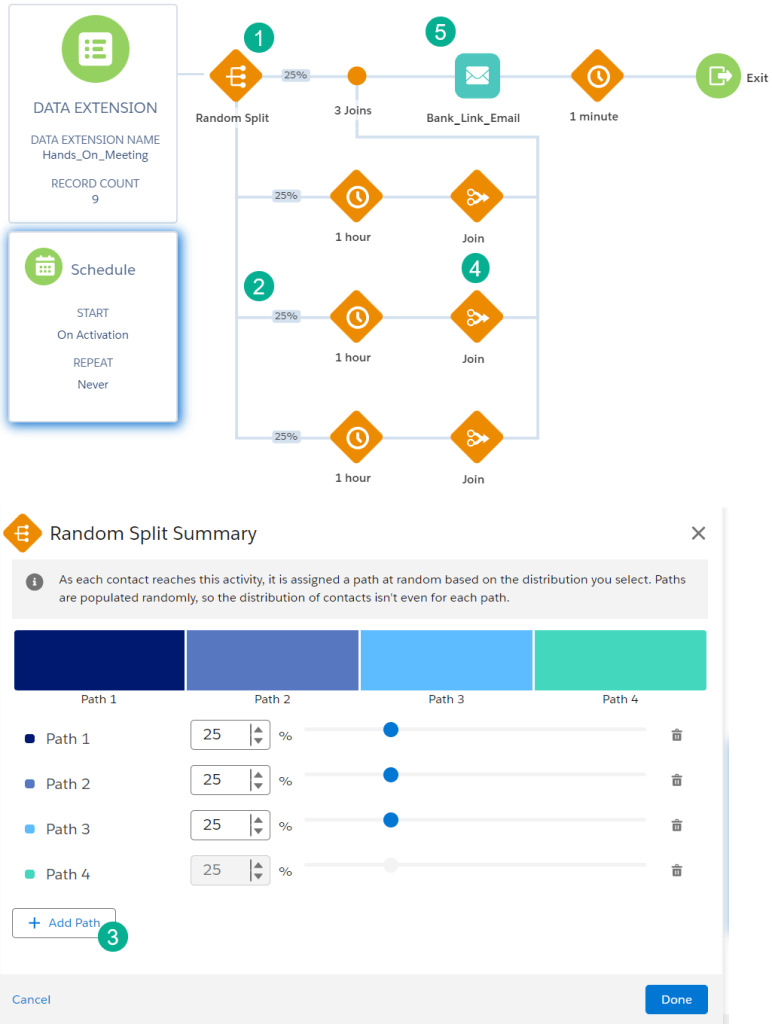
(`1) Add a Random Split before each email send.
(2) Break out your sends by hour, days, etc.
(3) When you configure the Random Split activity add a path and modify the percentages accordingly.
(4) Add a Join activity after each path to join it back to the email send.
(5) Before the Email activity send.
Pros
(1) Easy to configure and fully customize for each use case.
(2) Visually see the counts to validate right on the canvas.
(3) Easy to test and validate before turning on.
Cons
(1) Additional configuration (click not code options) needed vs the Hourly Threshold option.
Recommendation
If you are starting out throttling in Journey Builder the Random Split option is preferred unless you are sending in high volumes on an hourly basis. Even if you are sending in high volumes consider using the Random Split with longer wait periods.
We are concerned that utilizing the Hourly Threshold doesn’t allow you to test unless you have over 500 test records, ideally 1,500. Hopefully Journey Builder will allow for customization of the # of sends per hour to allow this functionality be a little more user friendly.
Let us know your feedback
 handsonsfmc.com