In this session the team starts implementing the Marketing Cloud connector between the new Marketing Cloud sandbox business unit and the new Salesforce Core/CRM org.
PART I: SalesCloud User Access and email updates
Before the team could start the Marketing Cloud connector setup everyone needed to gain access to the new org that was set up. Here’s a walk through of how to reset email passwords in the Salesforce CRM environment.
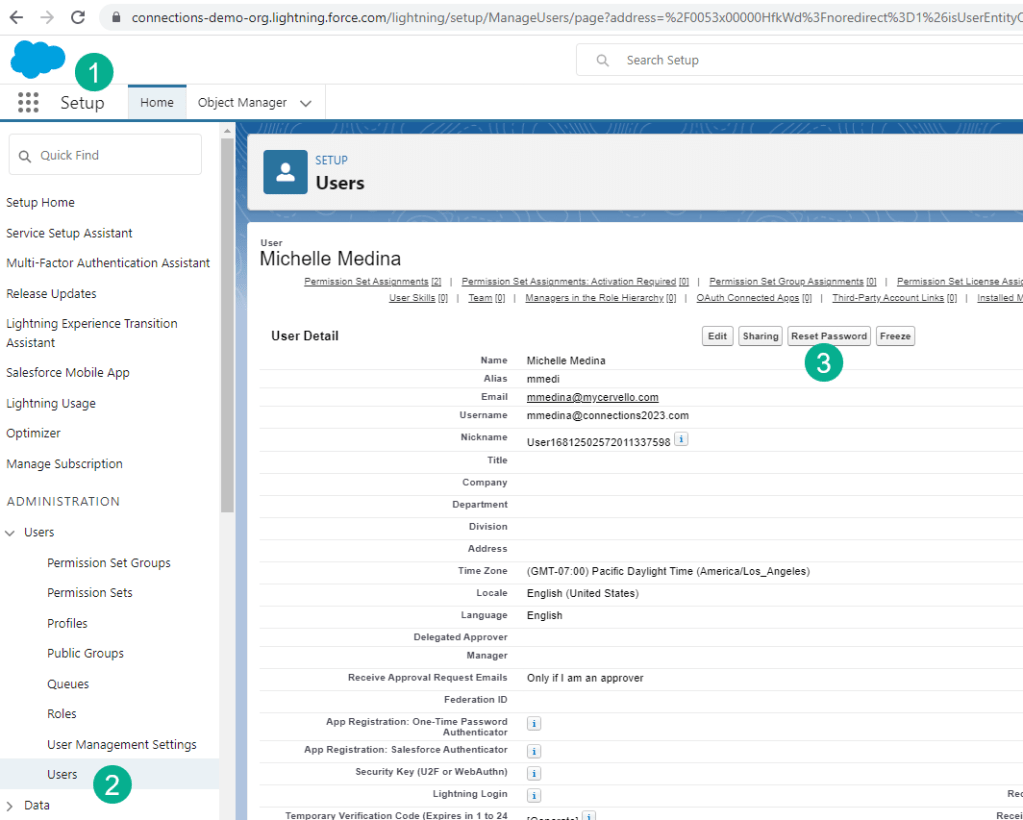
(1) Go to Setup
(2) Under Users
(3) Click the “Reset Password” button and the user will receive an email to reset their password.
If you are an admin and want to update your email address you’ll need to verify a link sent to you from QA Support via email.
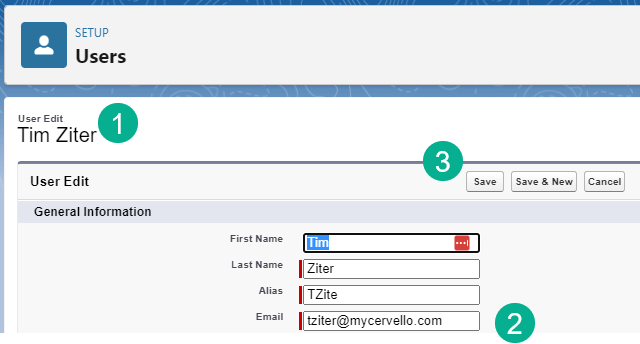
(1) Editing a user
(2) Changing an email address
(3) When you hit save it will trigger an email from QA support to confirm
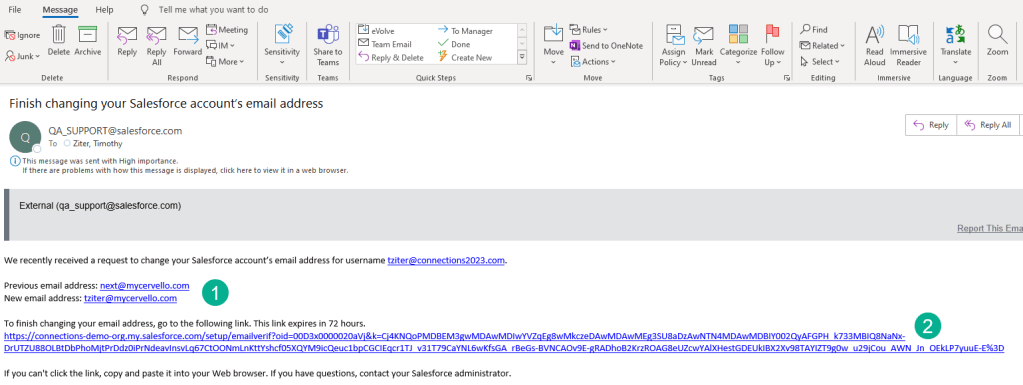
(1) Lists email changing from and to what address
(2) The link to verify.
PART II: Marketing Cloud Connect Managed Package
As you can see in the video if you can set up the Managed Package before doing the install as a team it will save a bit of waiting. It can take about 10 minutes for the install.
Follow the steps here to install the package:
https://help.salesforce.com/s/articleView?id=sf.mc_co_install_marketing_cloud_connect.htm&type=5
PART III: Marketing Cloud Connect Setup Walkthrough
Trailhead has a fantastic guide that will walk you through each step. Please take each step in order before moving onto the next section.
https://trailhead.salesforce.com/content/learn/modules/marketing-cloud-connect
 handsonsfmc.com