The best way to pause a Marketing Cloud Journey is not to pause it at all unless your use case fits in with the pause functionality.
The Marketing Cloud Journey pause functionality is impressive and has some cool features, but it can cause some confusion and potential errors unless you are following very closely.
Let’s walk through the pause functionality. First let’s pause a journey:
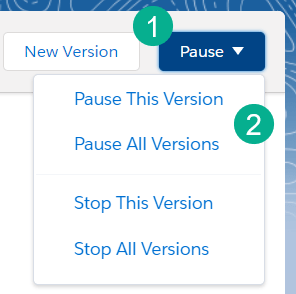
(1) In the upper right hand corner of your Journey you’ll see the Pause/Stop button where you can
(2) Choose to pause the current running version or all versions.
Now let’s select Pause This Version.
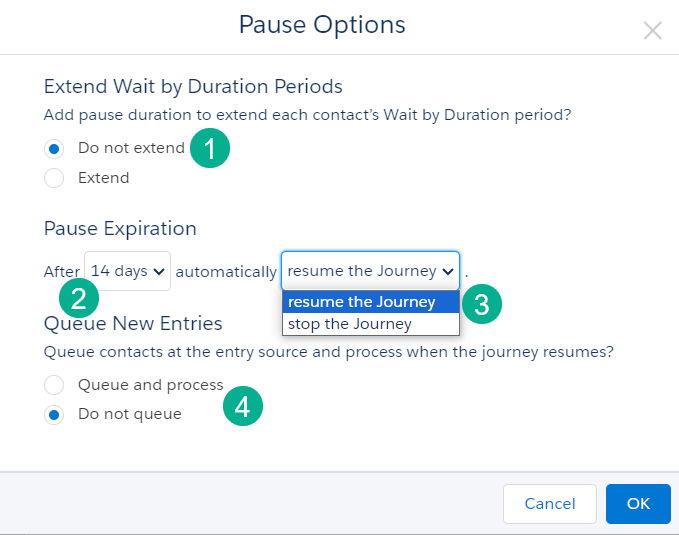
(1) This extend wait by duration periods selection is a bit confusing as to what you are selecting. What it looks like if you select “Do not extend” all journey members will exit out of their wait steps as soon as the journey is resumed. So if you have a subscriber in a 10 day wait step and pause the journey a single day, when you resume the subscriber fast forwards 9 days and moves on from the wait step. Read more here: https://help.salesforce.com/s/articleView?id=sf.mc_jb_pause.htm&type=5
(2) The Pause Expiration is only 14 days. You get to choose from 1 to 14 days which is nice, but there is no permanent pause. This can be troubling as you have to document the pause duration of your journeys an make sure to check pause setting before the 14 day expiration.
(3) There are two options here which both can be problematic. The Resume the Journey option is really scary because if you accidentally select this and forget it your journey kicks off in 14 days. And Stop the Journey isn’t that great an option as it will kick out all subscribers from the journey. Wouldn’t be nice if there was a “Stay Paused” option?
(4) The Queue New Entries function is kinda cool as it builds up a data store of subscribers to be entered. But this could also be troubling as what if you set this queuing up at the start but after realized you’d prefer to remove those who queued?
Here’s a better way to pause your journey!
We’ve found a better, more reliable way to pause your journey using a work around leveraging other Journey Builder functionality.
Step I: Create a new version of your journey
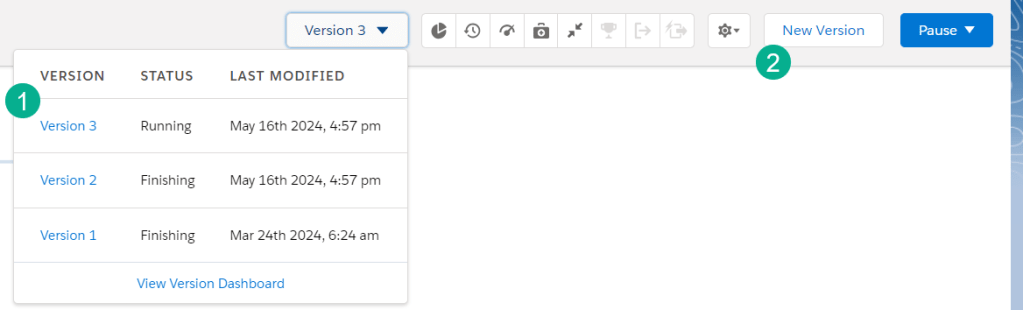
(1) Take this current journey where Version 3 is the active version as it states “Running”.
(2) Create a New Version by clicking on the button.
Step II: Activate the new version
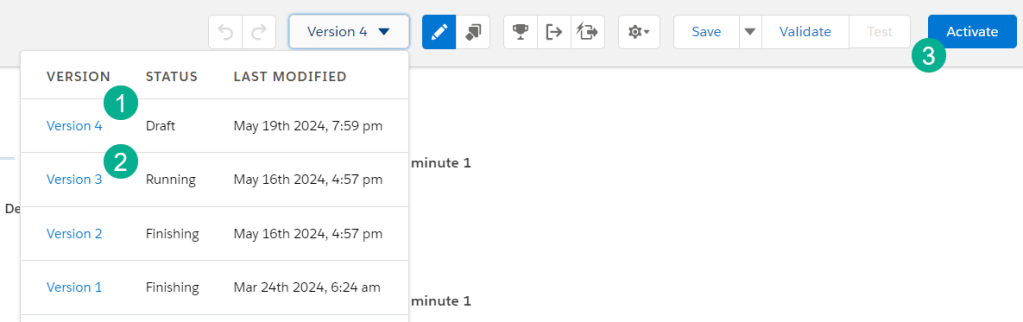
(1) The new version shows up on the menu in Draft status.
(2) The current version is still running.
(3) We are going to click Activate which will send Version 3 into an finishing state where all subscribers will continue their path through the journey as planned.
Step III: Stop the new version
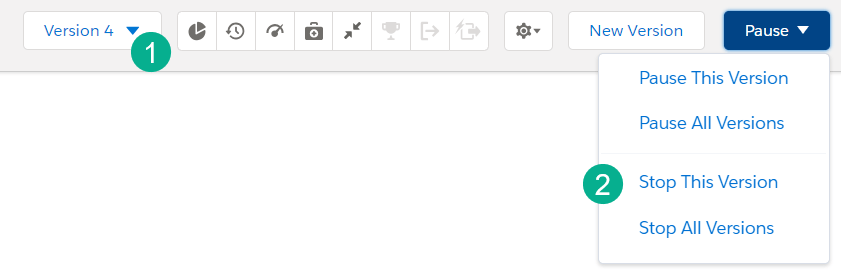
(1) While in the newly activated version,
(2) Select “Stop This Version” which will prevent any new subscribers entering the journey, effectively pausing the journey permanently.
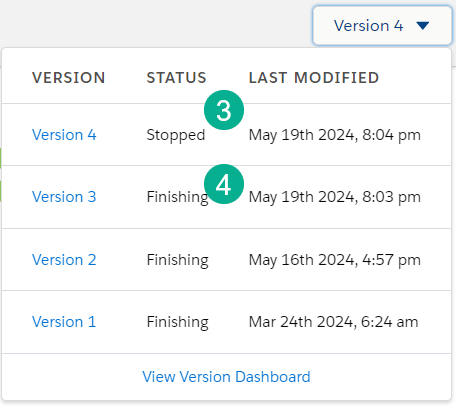
(3) In the Journey status menu you’ll see Version 4 as stopped, while version 3 is still finishing,
(4) letting those subscribers who entered before the pause to pass through the journey.
Step IV: Un-pause the Journey
To un-pause the journey simply create a new version and activate the new version.
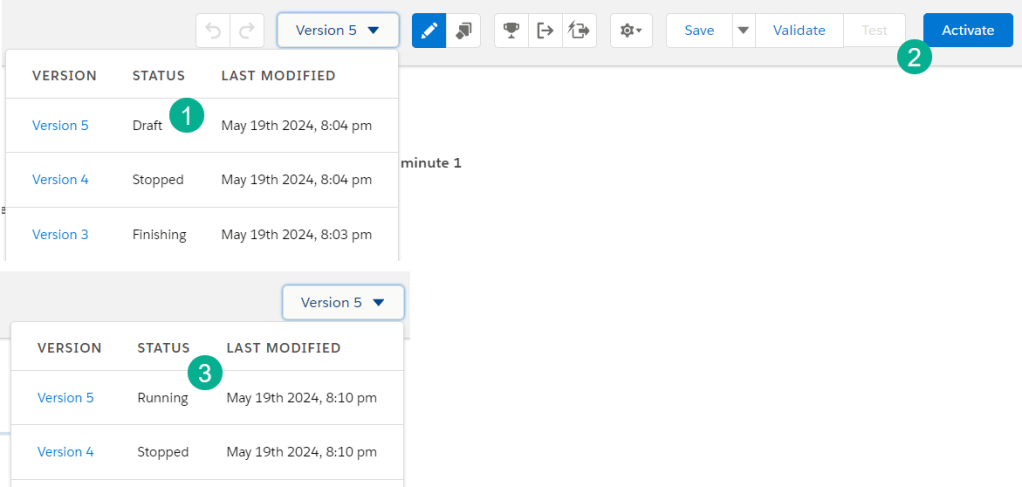
(1) The newly created version will be in Draft status
(2) Select activate.
(3) The new version will be running and subscribers will be able to flow back into the Journey.
Summary:
There you have it, an alternate, permanent way to pause a Journey in Marketing Cloud. Please use the Pause functionality if that scenario fits your needs better. But we’ve found that having permanent pause-ability in the method above to provide a little more peace of mind.
Let us know your thoughts on this approach, we’d be interested to get feedback from other Marketing Cloud Journey Builders. Thank you.
 handsonsfmc.com