Hopefully helpful tips on Cloud Pages for Marketing Cloud and Salesforce.
| Area | Notes – Code |
| Content Blocks | How to save a content block while in the middle of building an email. |
| Error handling | |
| SSJS Basics | |
| Form Handlers |
How to save in content work as a content block
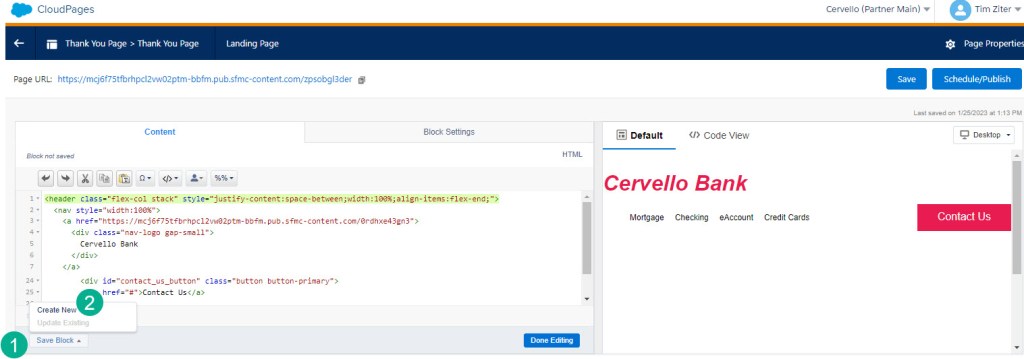
When working in a content piece in whether it is a cloud page or an email you can select the (1) “Save Block” button in the lower left corner and (2) “Create New”.
Once you select create new please notice:
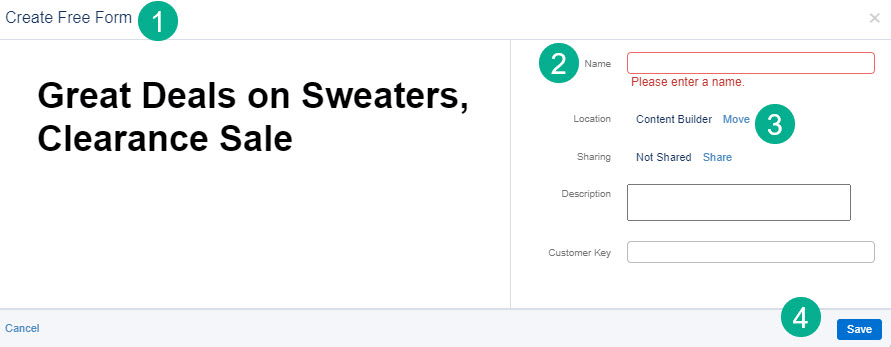
(1) The block will take on the characteristic of the block created in the content. You can’t switch from Free Form to Code Snippet for example.
(2) Enter the name for the content block
(3) Select where you want it to be saved
(4) Select save
 handsonsfmc.com