
In this session the team builds out an email design system starting with the all important template and several custom content blocks. Also included is the solve for the Update Contact Activity issue featured in Lead Nurture #5.
Build Components
| Asset | Notes/tips |
| Content Builder | Best practices on duplicating content |
| Email Design System – Overview of the template | The ins and outs of the email design system template and HTML |
| Content Builder – How to upload a photo | Tip: When updating a data extension with this activity the data extension must be sendable |
Duplicate your Content before editing
Whenever you want to review a piece of existing content make a duplicate copy first before clicking on the Edit button. Depending on the settings in Marketing Cloud if you click Edit you could change the owner and modified date for the content.
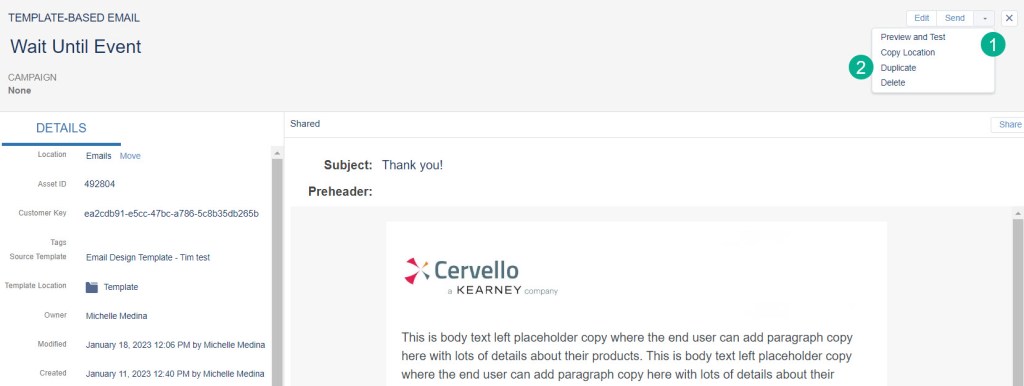
(1) Select the arrow down button in the upper right hand corner
(2) Select “Duplicate”

(1) A date stamp will be added to the content name
(2) Move the content to a test folder where you can edit and review the content worry free
(3) Click “Save and Edit” to go right into the content itself.
 handsonsfmc.com
Leave a comment