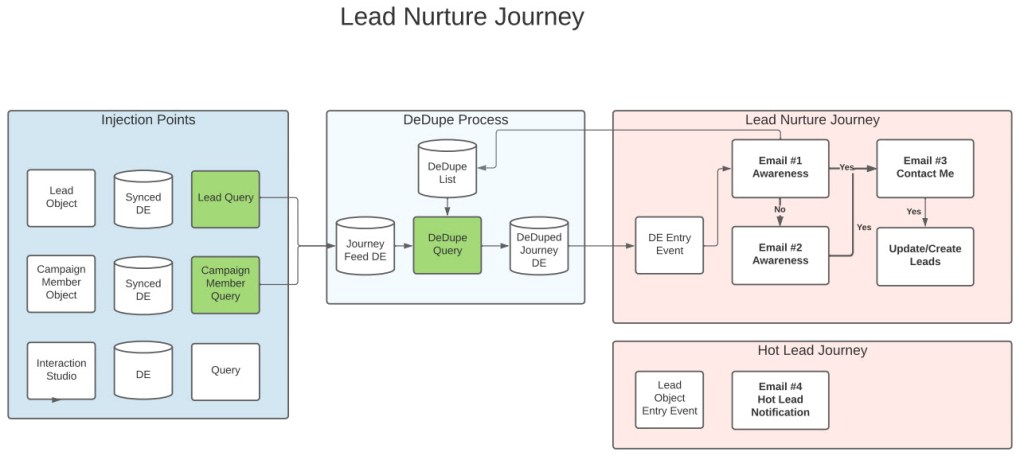
Welcome to our first Hands On Build, the Lead Nurture Journey. In this use case we want to pull in Leads and Contacts from the Salesforce Sales Cloud or CRM environment and nurture those subscribers to support the overall sales process. There are a couple of key functions of this Journey we’ll be building out in Marketing cloud:
#1: Multi-Injection points
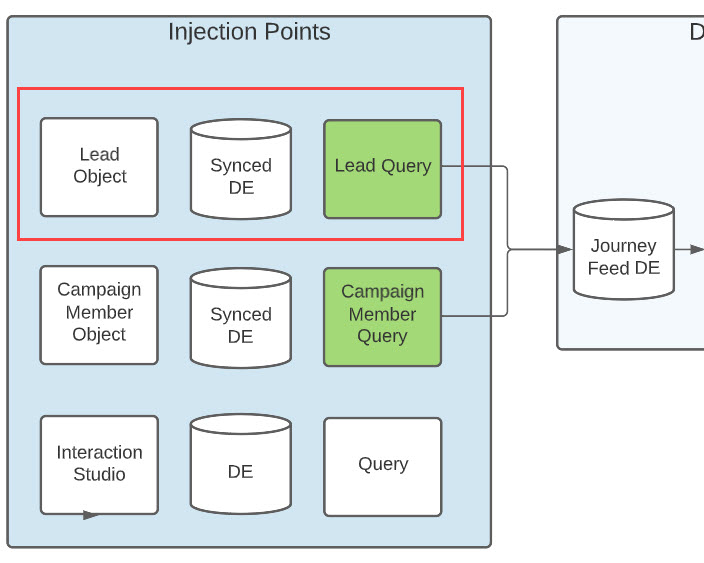
In our first two building sessions we’ll be building out the first and primary injection point for this journey which is from the Lead object in Salesforce. We’ll be utilizing the Salesforce Marketing Cloud lead synchronization data extension to pull in those leads.
Later on in the series we’ll be pulling in Salesforce Contacts and Leads into Marketing Cloud via the Campaign & Campaign member objects.
#2: Dedupe Functionality
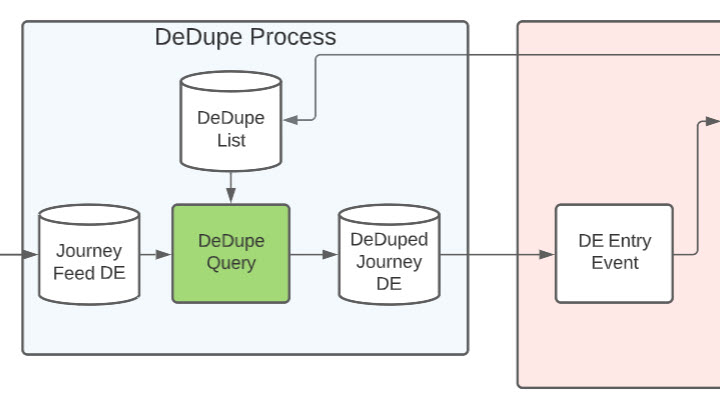
To prevent a subscriber entering as a Salesforce lead and contact we’ll be building a dedupe process that uses a GUID (Global Unique Identification Number*) as the unique key to drive the duplicate functionality.
#3 Multi-touch Journey
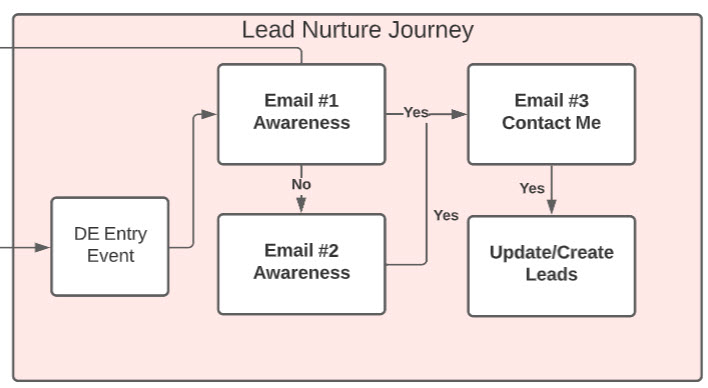
This is the hero of the build, architecting a multi-touch journey that nurtures those leads and modifies their journey path depending on how they engage with the experience.
#4: Hot Lead Notification
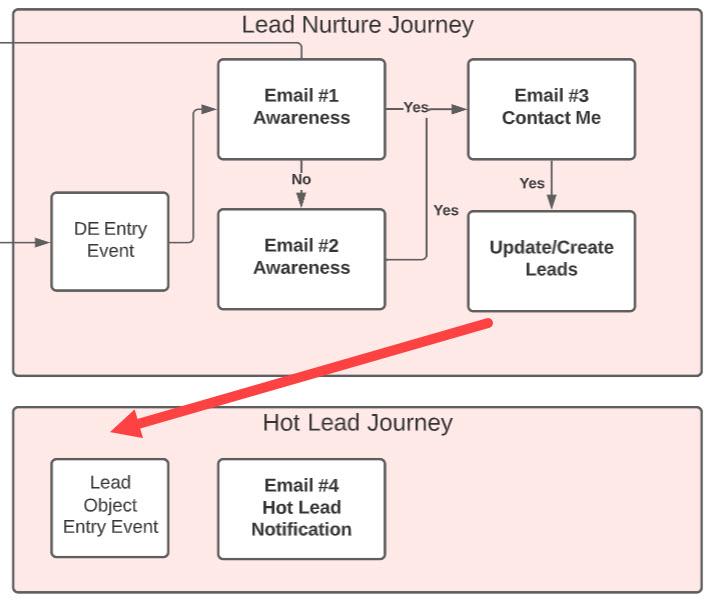
This will be our second journey build that will send a hot lead notification to the owner or the lead or contact when the subscriber is ready to talk. This will involve activities in the Lead Nurture Journey to create and update objects in Salesforce which will kick off the Hot Lead Journey.
An action packed build in Marketing Cloud, don’t miss out on all the fun!
 handsonsfmc.com
Leave a comment